Add-on · Digital download for Excel and Google Sheets
Estimate & Invoice Kit for Contractors
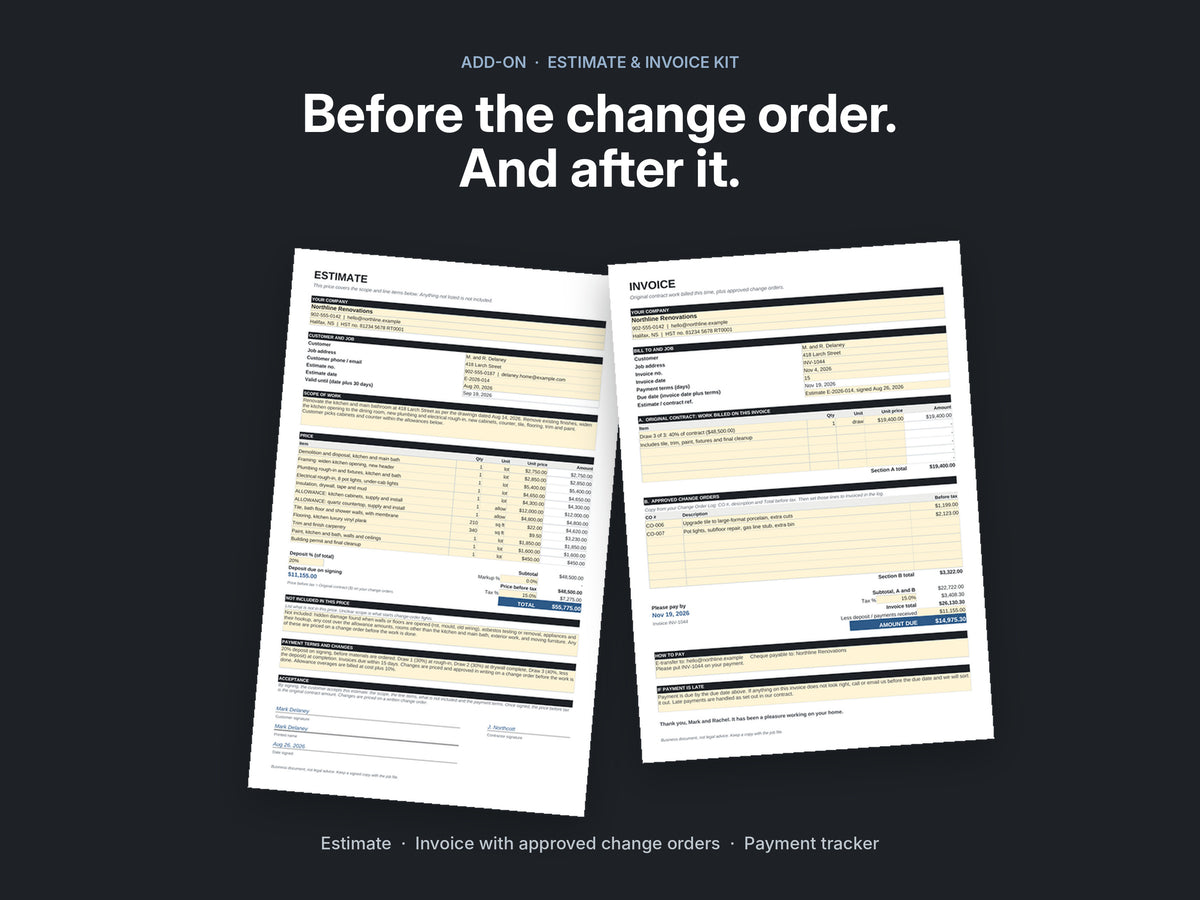
The paperwork on both sides of a change order: an estimate that becomes the contract, an invoice that bills the approved extras, and a tracker that flags late payers.
Secure checkout. Card, Shop Pay or PayPal. Download link sent by email.
- EstimateScope, line items, an exclusions box, deposit and payment terms, and a signature block. The signed estimate becomes your original contract.
- InvoiceBill this draw plus every approved change order, less the deposit and payments received. The due date calculates from your terms.
- Payment TrackerFlags anything overdue, due in the next 3 days, or still a draft after 2 days.
- Start Here guide10-minute setup, 5 estimate rules that prevent change-order fights, and 3 payment reminder texts.
- Format
- One ZIP: Excel workbook and a PDF guide
- Works in
- Excel, Google Sheets, LibreOffice. No macros.
- Delivery
- Instant download link by email
- Payment
- One time, no subscription
Pairs with
The Change Order System.
Price every extra, get it approved in writing, and catch the ones you forgot to bill. Each approved change order gets its own line on the invoice.

Change Order System
- Change order form, in Excel and as a fillable PDF
- A log that flags unsigned, unbilled and unpaid extras
- Field scripts, closeout, recovery playbook and letters
Full product details
The paperwork on both sides of a change order
A change order only works if the original price was clear and the extras end up on the bill. The Estimate & Invoice Kit covers both ends:
- Estimate: scope of work, line items, an exclusions / not included box, deposit and payment terms, and a signature block. The signed estimate becomes the original contract on your change orders.
- Invoice: bill the work for this draw plus every approved change order, less the deposit and payments received. Due date calculates from your terms.
- Payment Tracker: one line per invoice. It flags anything overdue, due in the next 3 days, or still a draft after 2 days, and shows what is outstanding and paid this month.
- Start Here guide: a 10-minute setup, 5 estimate rules that prevent change-order fights, and 3 payment reminder texts.
Filled examples with the same sample job as the Change Order System. Works in Microsoft Excel, Google Sheets and LibreOffice. No macros, no subscription.
A business tool, not legal advice. Instant digital download as one ZIP file; nothing is shipped.
Questions
What exactly do I get?
One ZIP file with an Excel workbook (Estimate, Invoice and Payment Tracker, plus a finished example of each) and a two-page Start Here guide with the 10-minute setup, 5 estimate rules and 3 payment reminder texts. Nothing is shipped and there is nothing to install.
Do I need the Change Order System too?
No. The kit works on its own. Used together, the signed estimate is the original contract on every change order, and each approved change order gets its own line on the invoice.
Does it work on my phone?
Yes. Open the workbook in the free Google Sheets app to write an estimate, build an invoice or check the tracker. Save the estimate or invoice as a PDF to send it to the customer.
Does it work in the US and Canada?
Yes. You set your own markup, tax rate, deposit and payment terms. Prices on this site show in US or Canadian dollars; use the switch next to the price.
What do I need to open it?
Excel, Google Sheets or LibreOffice for the workbook, and any PDF reader for the guide. No macros and nothing to install.
Is it legal or tax advice?
No. It is a business tool. Check your contract, tax rates and local rules with your own advisor.
What if it is not for me?
Email within 14 days of purchase and you get a full refund. No forms, no arguing.
How do I get the files?
You receive a download link by email right after checkout. Everything comes in one ZIP file. Check your spam folder if it is not there within a few minutes, or reply to your order email and we will send it again.