For contractors who work for homeowners
Change Order System for Contractors
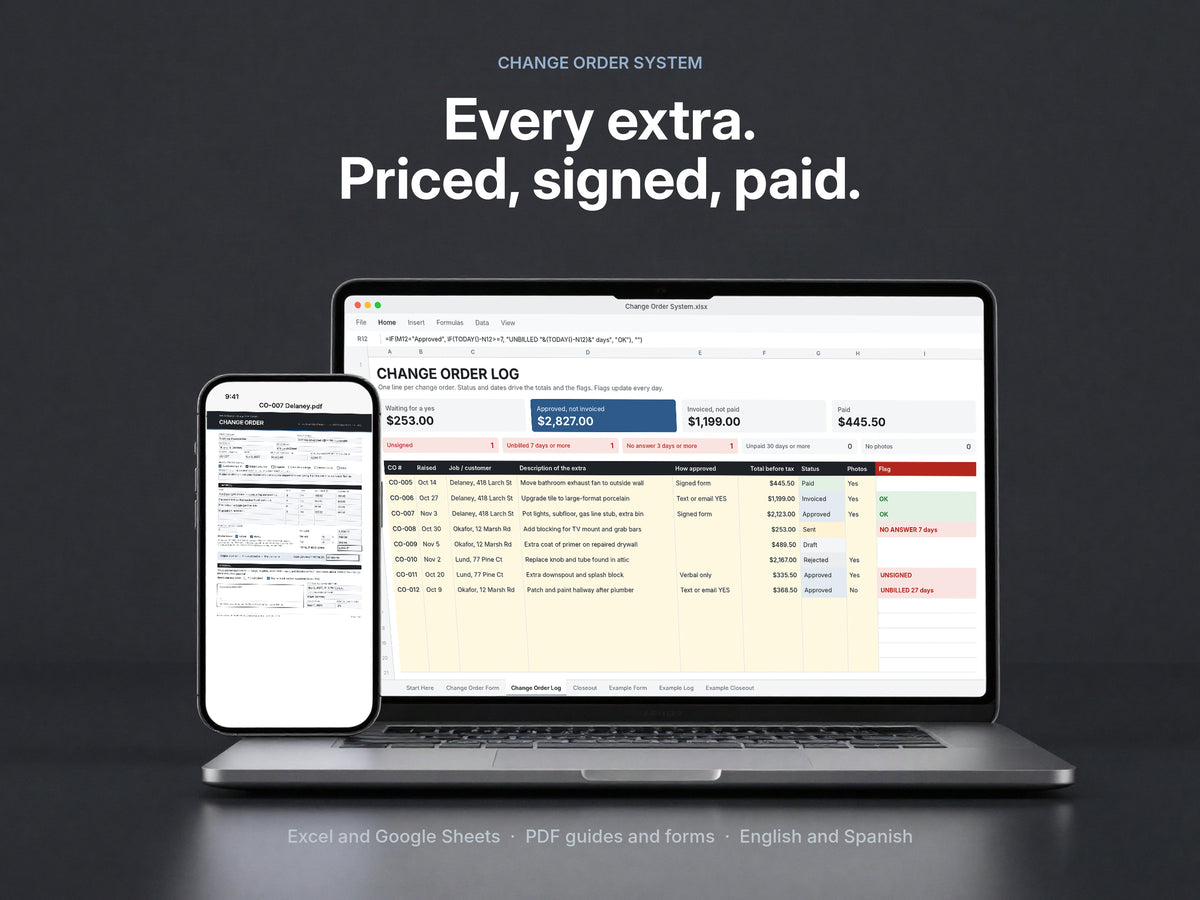
A ready-to-use change order form, log and closeout. Price the extra on site, get a signature or a written YES by text before you start, catch the ones you forgot to bill, and close every job on one final number.
Pays for itself the first time it catches one extra you would have forgotten to bill.
Secure checkout. Card, Shop Pay or PayPal. Download link sent by email.
Three tools do the work
- Change Order FormIn Excel and Google Sheets, with markup, tax and the new contract total done for you. Plus a fillable PDF for your phone, in English and Spanish.
- Change Order Log with flagsFlags every extra that is unsigned, unbilled after 7 days, unanswered after 3, unpaid after 30, or missing photos.
- Closeout sheetPick the job and every approved extra lands in one final number the customer initials. Sign-off, punch list and milestone forms included.
Also included
- Field Scripts for a written YES
- Photo Proof Routine
- Recovery Playbook and 3 letters
- Contract clauses
- Common extras for 10 trades
- AI prompts
- Format
- One ZIP: Excel workbook, PDF guides and forms, Word letters and clauses
- Works in
- Excel, Google Sheets or LibreOffice; any PDF reader; Word or Google Docs. No macros.
- Delivery
- Instant download link by email
- Setup
- About 20 minutes with the Start Here guide
- Licence
- For your own business and jobs
- Payment
- One time, no subscription
Watch the film
Every extra, start to paid.
In 46 seconds.
Real screens from the workbook and the guides. Nothing staged.
Get the highlights
Built for the moment
someone says “while you’re here”.
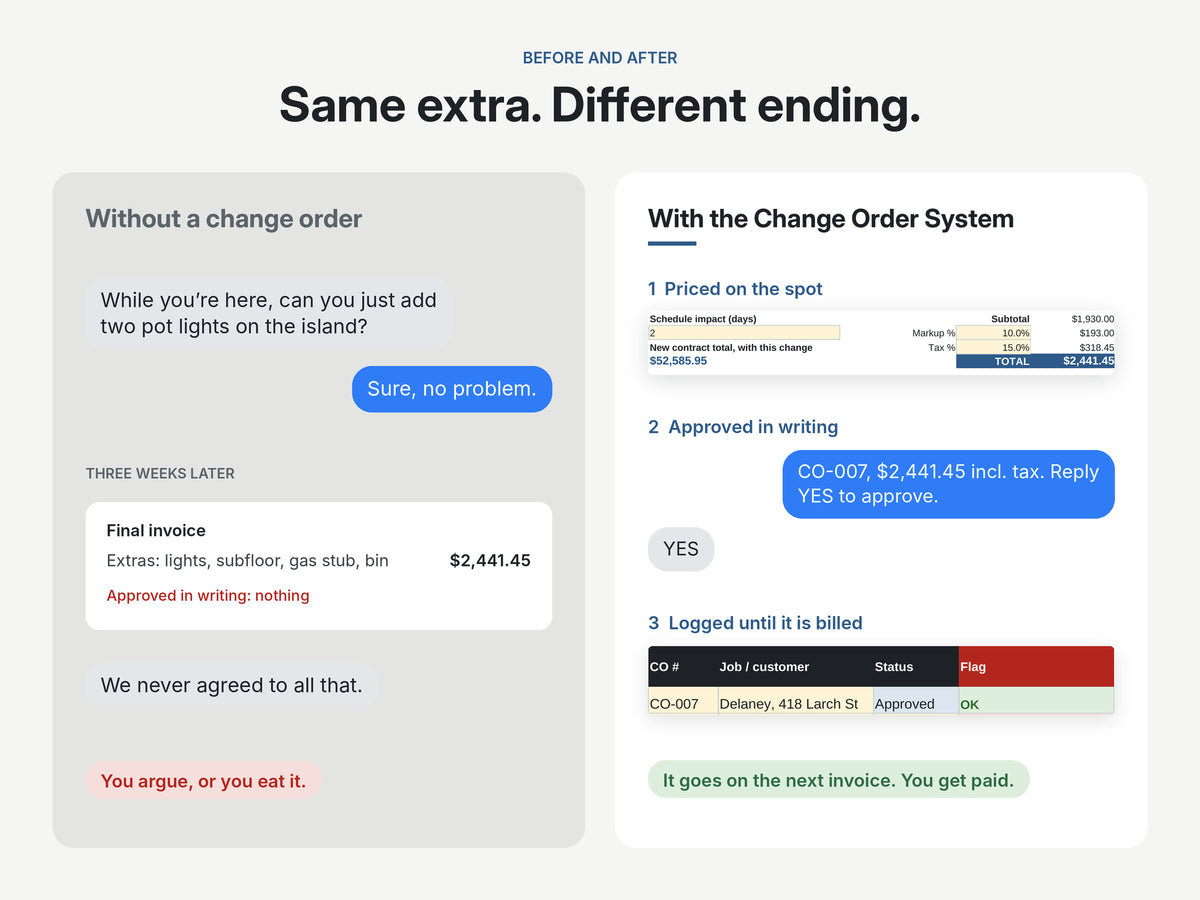
Price it before you touch it.
Describe the extra, enter quantities and prices, and the form does the math: markup, tax and the new contract total, all on one page the customer can read.
No more kitchen-table guesswork.
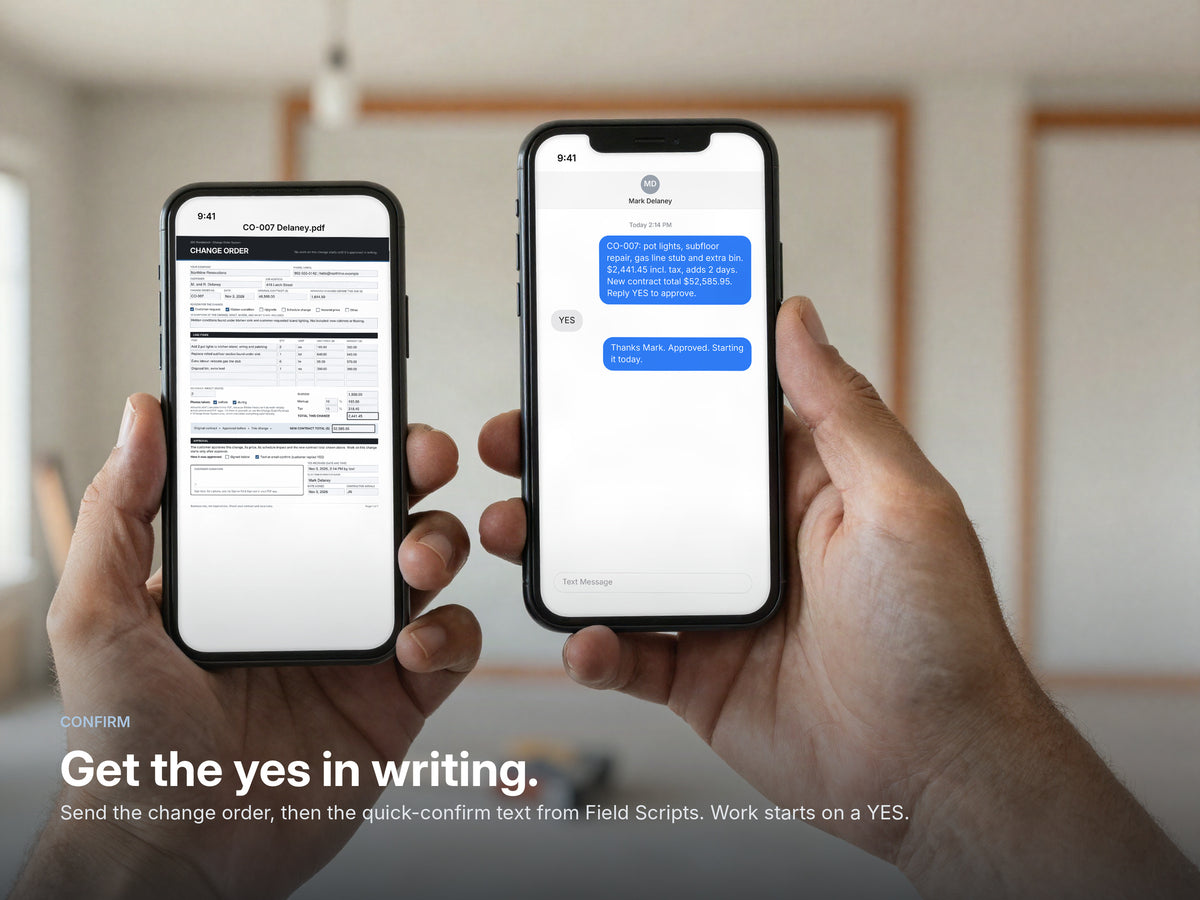
Get the yes in writing.
Customer can’t sign on the spot? Send the quick-confirm text from Field Scripts. The price, the days and the new total are in the message, and their YES is your approval in writing.
Never start on a nod again.
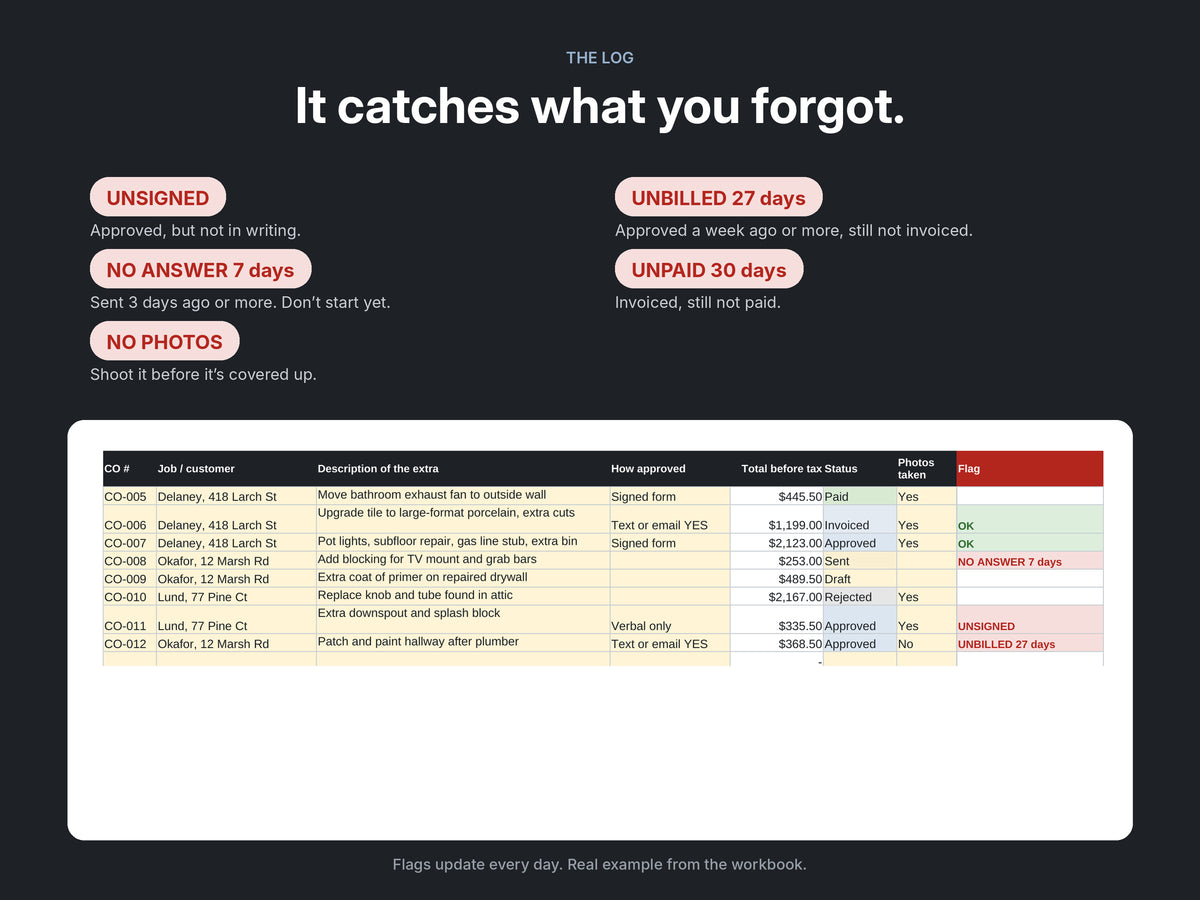
It catches what you forgot.
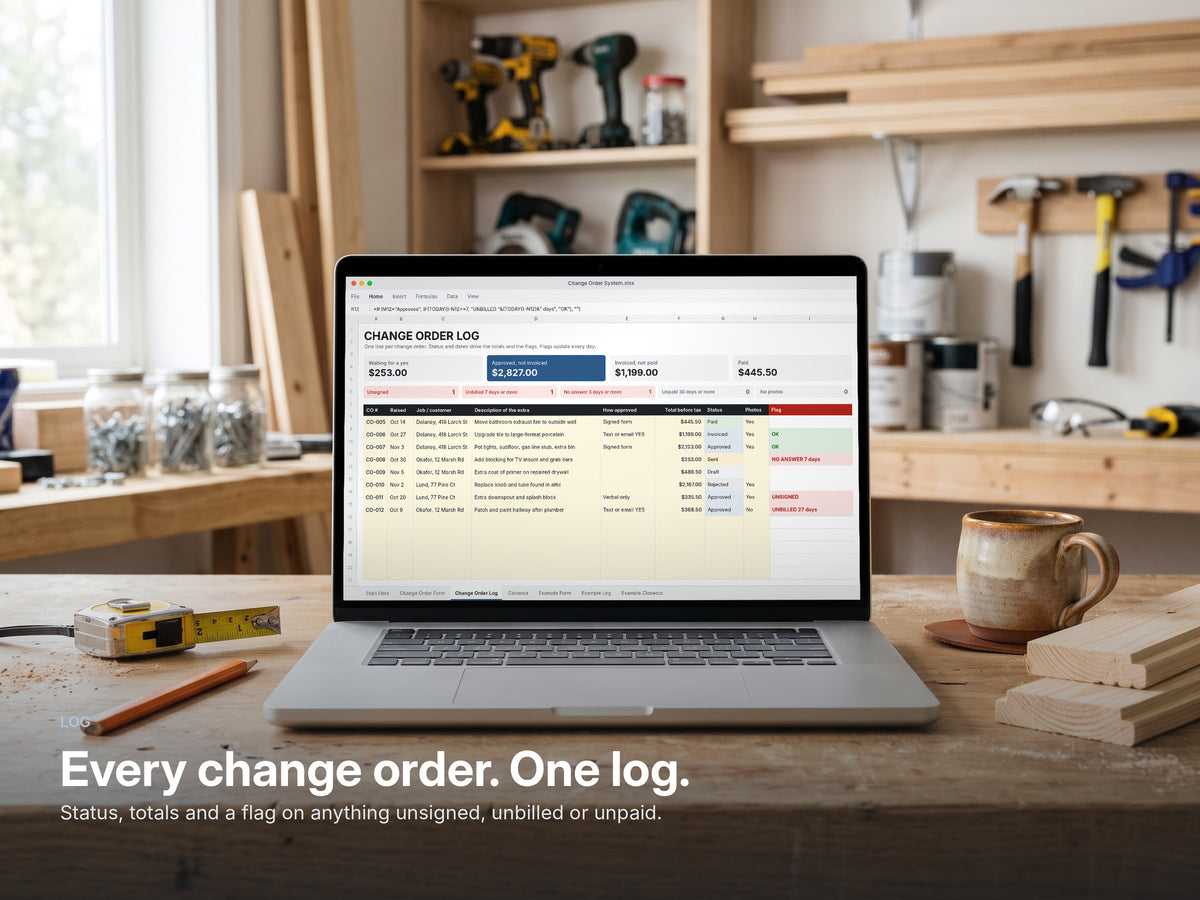
Every change order goes in one log. It flags anything unsigned, approved but not billed after 7 days, unanswered after 3, unpaid after 30, or missing photos. The flags update every day.
The extras you forget are the ones you don’t get paid for.
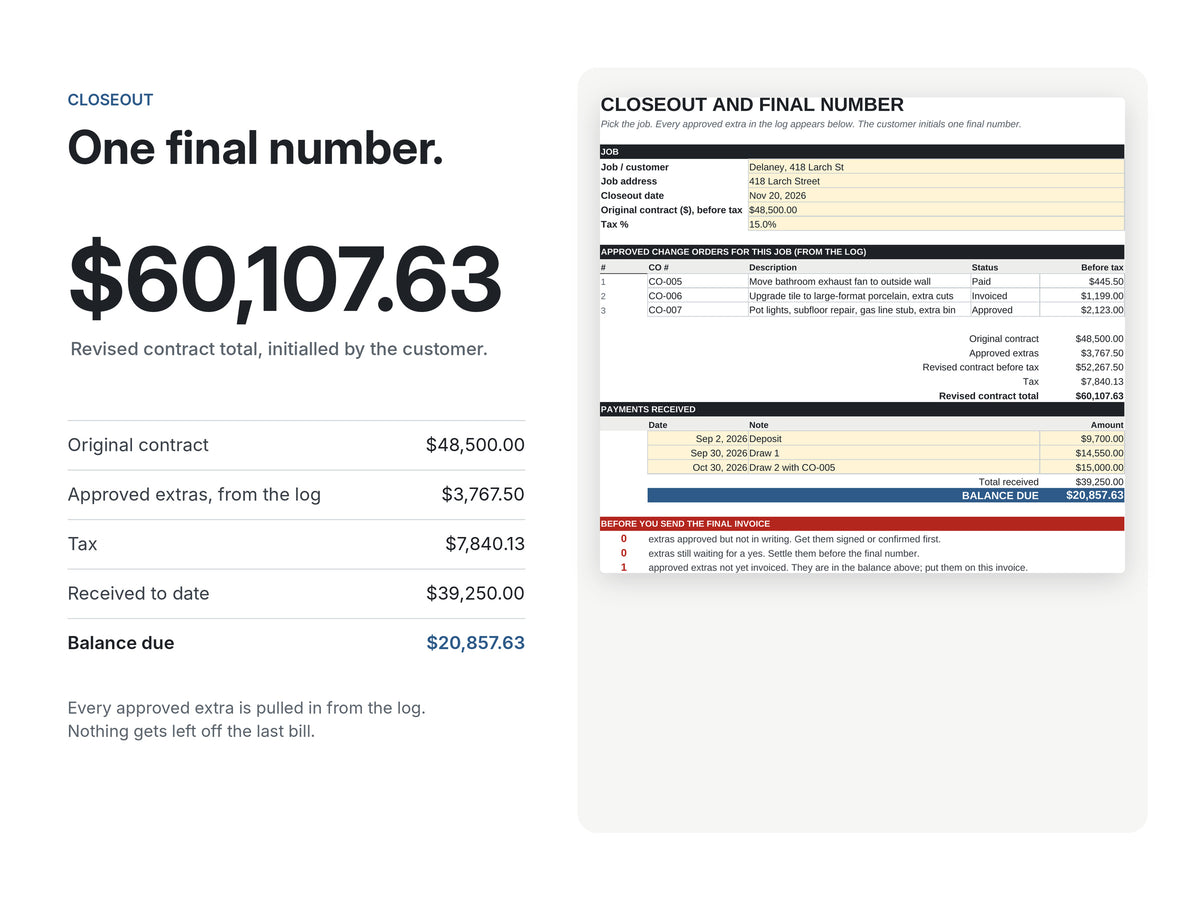
One final number.
At the end of the job, pick it on the Closeout sheet. Every approved extra comes in from the log, payments come off, and the customer initials one number.
The last bill stops being an argument.
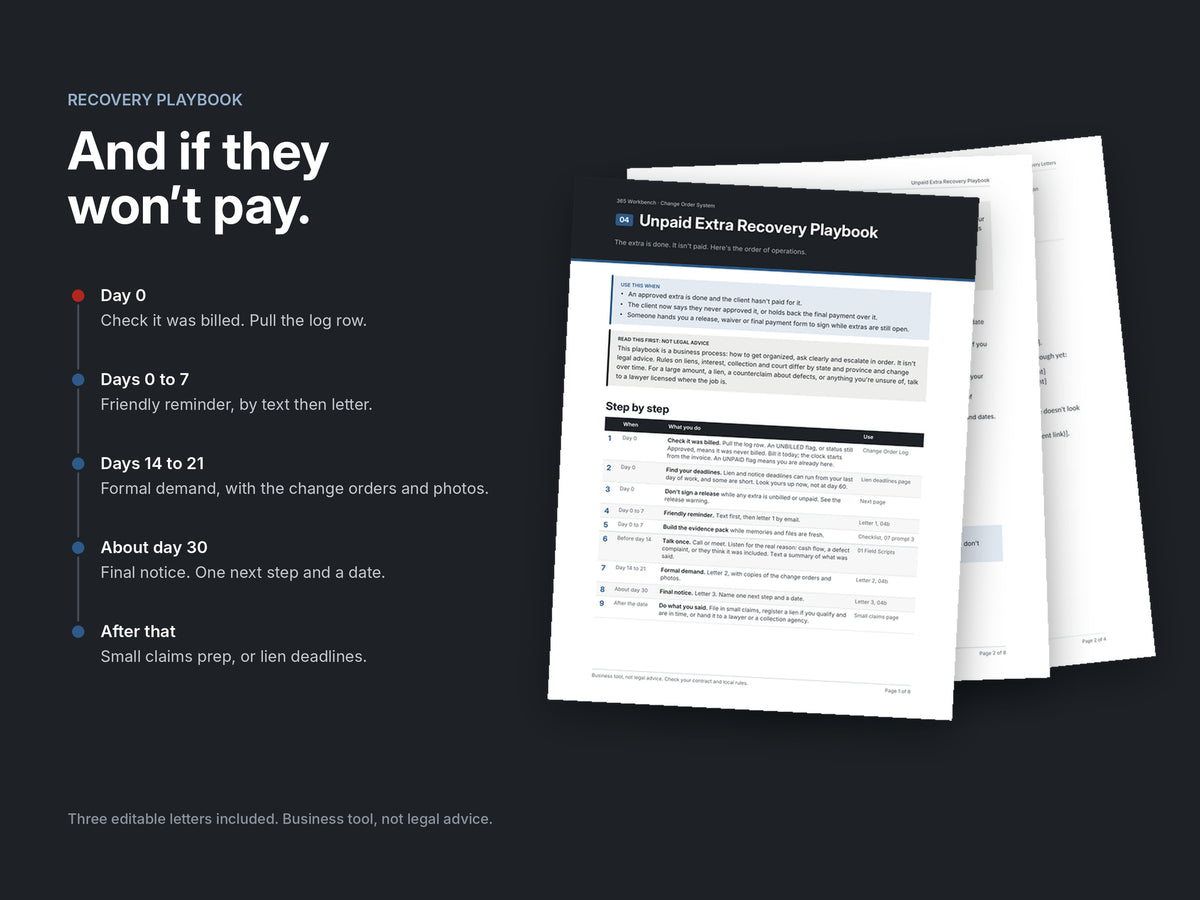
And a plan if they won’t pay.
The Recovery Playbook takes you from a friendly reminder to a formal demand and a final notice, with three editable letters and a small-claims checklist. Business tool, not legal advice.
Calm, in order, on paper.
Why not a free template?
A form is not a system.
A blank form helps on the day. The money gets lost later: the extra nobody billed, the yes nobody wrote down, the final bill nobody agrees on.
A free or $20 template
Free to about $20
- A blank form to fill in
- No log, so forgotten extras stay forgotten
- Nothing flags unsigned, unbilled or unpaid
- No closeout, scripts or recovery letters
The Change Order System
$79 CAD, once
- The form, and it does the math for you
- A log that flags the extras you forgot
- One final number at closeout
- Scripts, photo routine, clauses and recovery letters
- Set up in about 20 minutes, yours to keep
Job management software
About $30 to $50 USD a month to start
- Scheduling, dispatch and invoicing
- A monthly bill that never stops
- Logins, setup and a learning curve for the crew
- More than you need if extras are the problem
The math: bill one $330 extra you would have forgotten, and the system has paid for itself.
The worry
“Won’t customers think I’m nickel-and-diming them?”
Homeowners don’t mind paying for extras. They mind surprise bills. A written price before the work is the opposite of a surprise.
- It looks like a pro outfit.A clean, numbered change order tells the customer you run a real business, not a handshake operation.
- It protects them too.They see the price, the days and the new total before they say yes. Nothing lands on the final bill that they didn’t approve.
- It keeps the job friendly.The argument at the final bill never starts, because every extra was agreed one at a time.
On the job
Small extras. Real money.
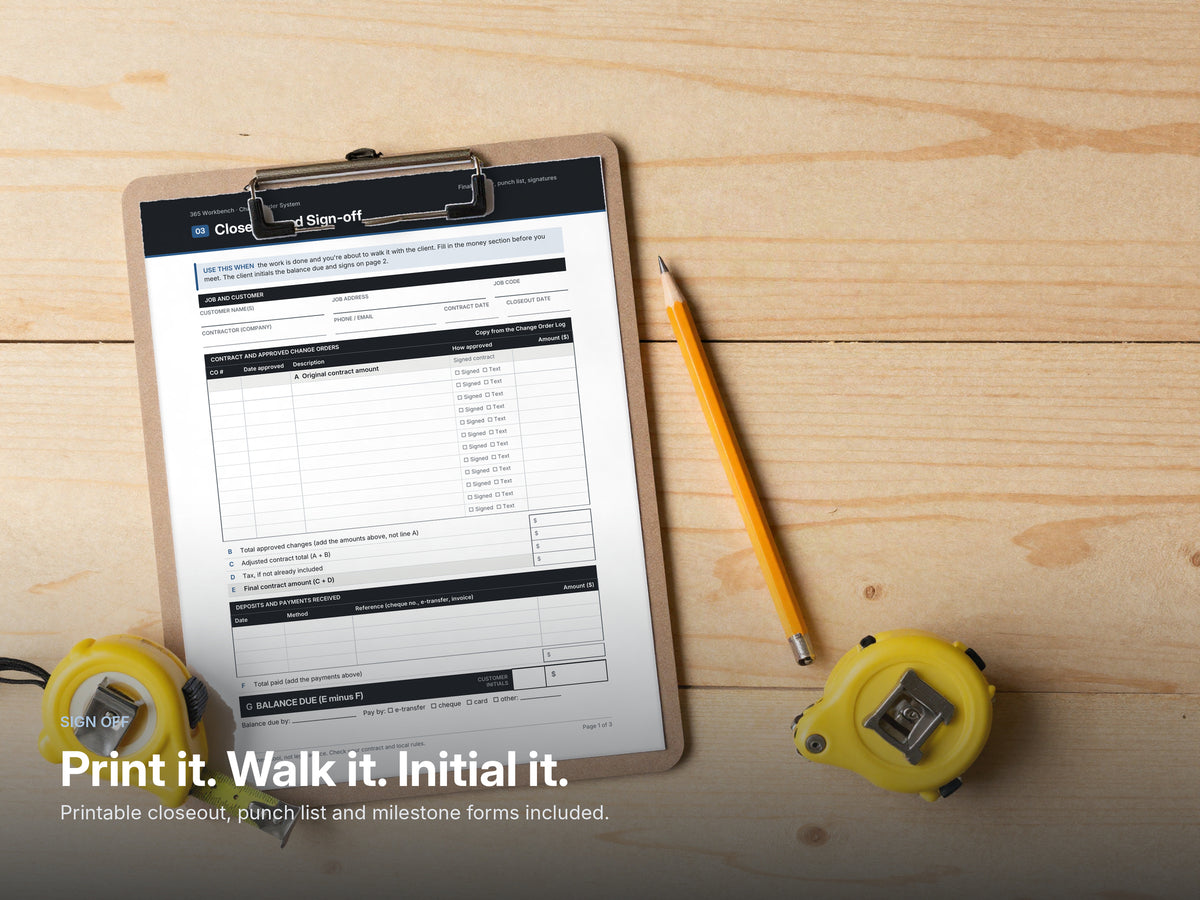
Write it up at the job, check it from the truck, close it out on a clipboard.

What’s in the box
Everything for every extra.
One ZIP. Instant download. Works in Excel, Google Sheets and LibreOffice, with PDFs that open anywhere.

- Change Order System.xlsx · form, log with flags, closeout, examples
- 00 Start Here · 20-minute setup and the workflow
- 01 Field Scripts · texts, emails, verbal yes
- 02 Photo Proof Routine · what to shoot, how to file it
- 03 Closeout and Sign-off · printable forms
- 04 Recovery Playbook · plus 3 editable letters
- 05 Contract Clauses · Word and PDF
- 06 Fillable change order · English and Spanish
- 07 AI Prompts · six, ready to paste
- 08 Common Extras by Trade · ten trades
Add-on
Complete the paperwork.

Estimate & Invoice Kit
The change order sits in the middle. This covers both ends.
- An estimate with exclusions, deposit and a signature
- An invoice that bills approved change orders
- A payment tracker that flags late payers
How it works
- 1
Capture
A customer asks for something extra. Fill the form and use the trade list so nothing is missed.
- 2
Confirm
Get a signature, or send the quick-confirm text and get a written YES. Then start.
- 3
Log
One line in the log. Set how it was approved and move the status along.
- 4
Prove
Shoot the before and during photos from the routine. Mark them in the log.
- 5
Close
Pick the job on the Closeout sheet. One final number, initialled by the customer.
- 6
Recover
Done and unpaid? Follow the playbook and send the letters in order.
Who it’s for
Built for contractors who work for homeowners.
A great fit if you
- Run a renovation, remodel or trade business, solo or with a small crew
- Do extras on most jobs: electrical, plumbing, HVAC, flooring, painting, roofing, drywall, concrete, landscaping and more
- Work in the US or Canada and want something you can use on your phone tomorrow
- Want a one-time tool, not another monthly app
Not the right fit if you
- Are a commercial subcontractor who needs a general contractor’s change order request process or software integrations
- Already run every job in project management software and you’re happy with how it handles extras
Free
Try it on your next job, free.
Get the printable change order form from the system, plus the text that gets a customer’s YES in writing. Two pages, PDF.
- The five lines every change order needs
- The quick-confirm text, ready to send
- Print it, or fill it in on a tablet
Download the free change order form. Keep it on your phone for the next “while you’re here”.
Download the free form (PDF)Or get the full Change Order SystemFull product details
Why change orders matter
In 2026 research by Dodge Construction Network and Clearstory, 97 percent of specialty trade contractors said they start work on some change orders before they are approved. Those unwritten extras are the ones that turn into arguments and unpaid invoices.
What the system does
The Change Order System covers an extra from the moment the customer asks for it to the day it is paid:
- Capture: price the extra on a form that calculates markup, tax and the new contract total.
- Confirm: get a signature, or a written yes by text using the scripts.
- Log: track every extra in a log that flags anything unsigned, unbilled or unpaid.
- Prove: shoot the right photos.
- Close: agree one final number at closeout.
- Recover: follow the playbook when a customer will not pay.
It works for any trade and any job size, and includes common-extras lists for ten trades.
What is in the download
- Change Order System workbook (Excel, Google Sheets, LibreOffice): Change Order Form, Change Order Log with flags, Closeout, and a finished example job
- Fillable Change Order Form PDF, in English and Spanish
- Field Scripts: texts, emails and a verbal-approval script
- Photo Proof Routine
- Closeout, Sign-off and Milestone forms (printable)
- Unpaid Extra Recovery Playbook, with three editable letters (Word)
- Change Order Contract Clauses (Word and PDF)
- Common Extras by Trade: HVAC, electrical, plumbing, roofing, painting, flooring, drywall, remodel, landscaping and snow, concrete
- AI Prompts for change orders
- Start Here guide
A business tool, not legal advice. Check your contract and local rules before relying on a change order. Instant digital download as one ZIP file; nothing is shipped.
Questions
What exactly do I get?
One ZIP file with an Excel workbook (change order form, log with flags, closeout and a finished example job), a fillable change order PDF in English and Spanish, and short PDF guides: field scripts, photo routine, closeout forms, a recovery playbook with three editable letters, contract clauses, common extras for ten trades and AI prompts. Nothing is shipped and there is nothing to install.
Does it work on my phone?
Yes. Open the workbook in the free Google Sheets app, or use the fillable PDF to write up an extra on site. The customer signs on your screen with the sign tool in any PDF app, or replies YES to the quick-confirm text from the field scripts.
Why not just use a free template?
A free template gives you a blank form. Most contractors don’t lose money on the extras they write up. They lose it on the ones they forget to bill, the yes nobody wrote down and the final bill nobody agrees on. The log, the closeout, the scripts and the recovery letters are what stop that.
Will my customers actually sign it?
Most will, because it shows them the price, the days and the new total before any work starts. If they can’t sign on the spot, the quick-confirm text gets you a written YES in about a minute.
Does it work in the US and Canada?
Yes. You set your own markup and tax rate, so the form works in any state or province. Prices on this site show in US or Canadian dollars; use the switch next to the price. The contract clauses are a starting point to check against your local rules.
Is this a template?
No. It is a working system for every extra on a job: a form that calculates its own totals, a log that flags what is unsigned, unbilled or unpaid, a closeout that reconciles everything, the scripts to get a written yes, and a playbook for when a customer will not pay. A finished example job shows every part filled in.
Which trades is it for?
Any contractor who does extras: renovation, electrical, plumbing, HVAC, painting, roofing, landscaping and more. The system works for any trade, and it includes common-extras lists for ten of them.
What do I need to open it?
Excel, Google Sheets or LibreOffice for the workbook, any PDF reader for the guides and fillable forms, and Word or Google Docs for the letters and clauses. No macros and nothing to install.
Is it a legal document?
No. It is a business tool, not legal advice. Check your contract and local rules before relying on a change order.
What if it is not for me?
Email within 14 days of purchase and you get a full refund. No forms, no arguing.
How do I get the files?
You receive a download link by email right after checkout. Everything comes in one ZIP file. Check your spam folder if it is not there within a few minutes, or reply to your order email and we will send it again.